Assigning Requests to Bundles
warning
Note: Request and bundle processing functionality is currently only supported in the Aeon Desktop Client and cannot be performed from the Aeon Web Client.
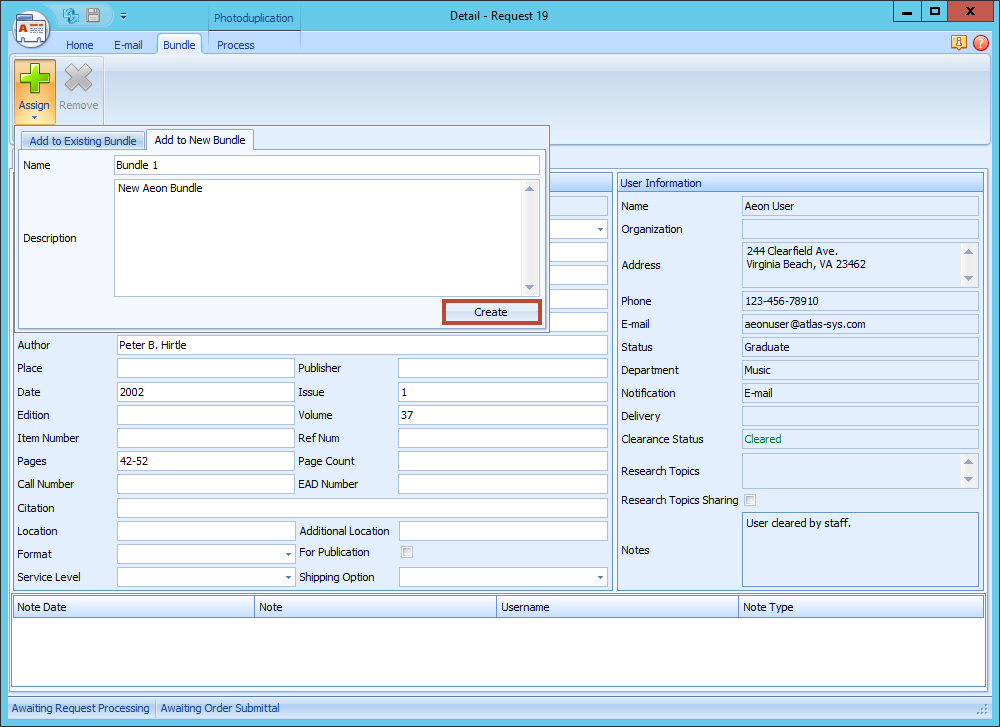
Adding Requests to a New Bundle
To add requests to a new bundle using the Aeon Desktop Client:
- Open the request you want to add to a bundle.
- Click on the Bundle tab.
- Click Add to New Bundle.
- Fill in a Name and Description for the new Bundle.
- Click Create.
- The new Bundle will be created, and the request will be added to the Bundle.
Adding Requests to an Existing Bundle
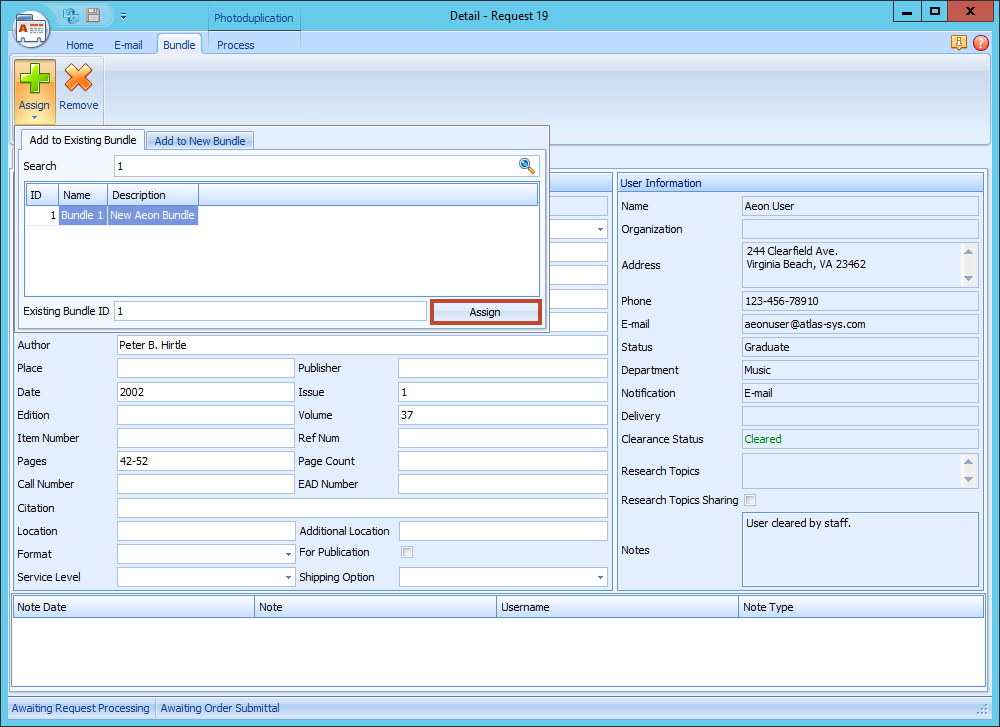
To add requests to an existing bundle using the Aeon Desktop Client:
- Open the request you want to add to a bundle.
- Click on the Bundle tab.
- Click Add to Existing Bundle.
- Search for the Bundle you want to add it to - search by ID, Name, or Description.
- Select the Bundle, and click Assign.
- The request will be added to the Bundle.
Adding Multiple Requests
You can add one or more requests to a bundle from any request list in the Aeon Desktop Client. Select the request(s) you want to add to the bundle, then click Assign as explained above.
Removing Requests from Bundles
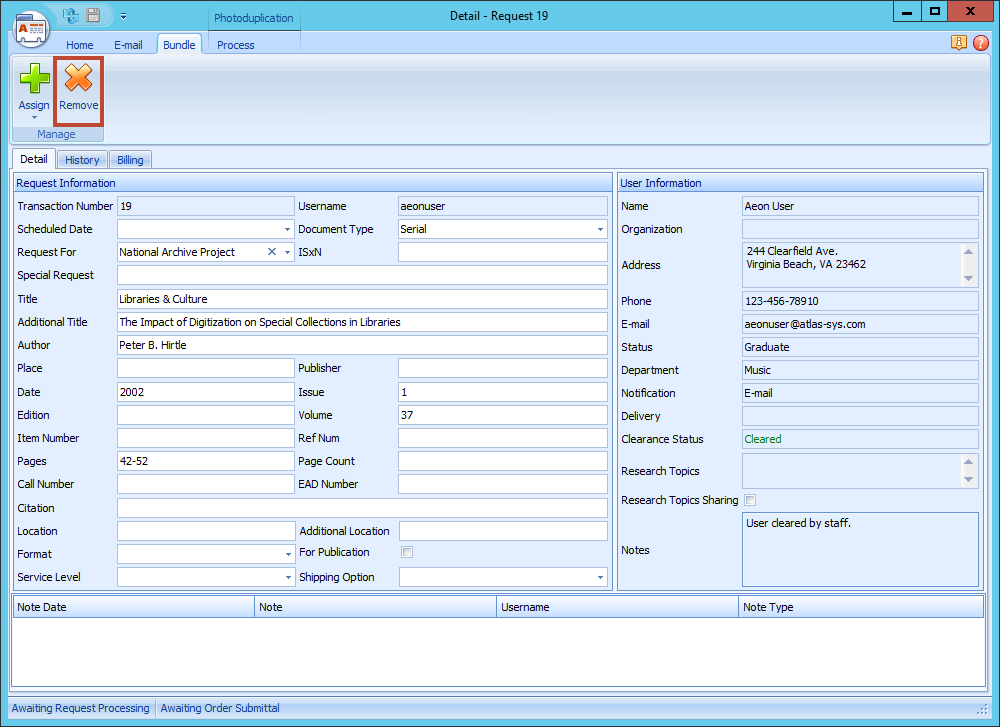
To remove a request from a bundle using the Aeon Desktop Client:
- Open the request you want to remove from a Bundle.
- Click on the Bundle tab.
- Click Remove.
- A box will pop up and ask "Are you sure you want to unassign this request from bundle x?"
- To remove it, click Yes.
Removing Multiple Requests
You can remove one or more requests from a bundle from any request list in the Aeon Desktop Client. Select the request(s) you want to add to the bundle, then click Remove as explained above.