Recalling Items
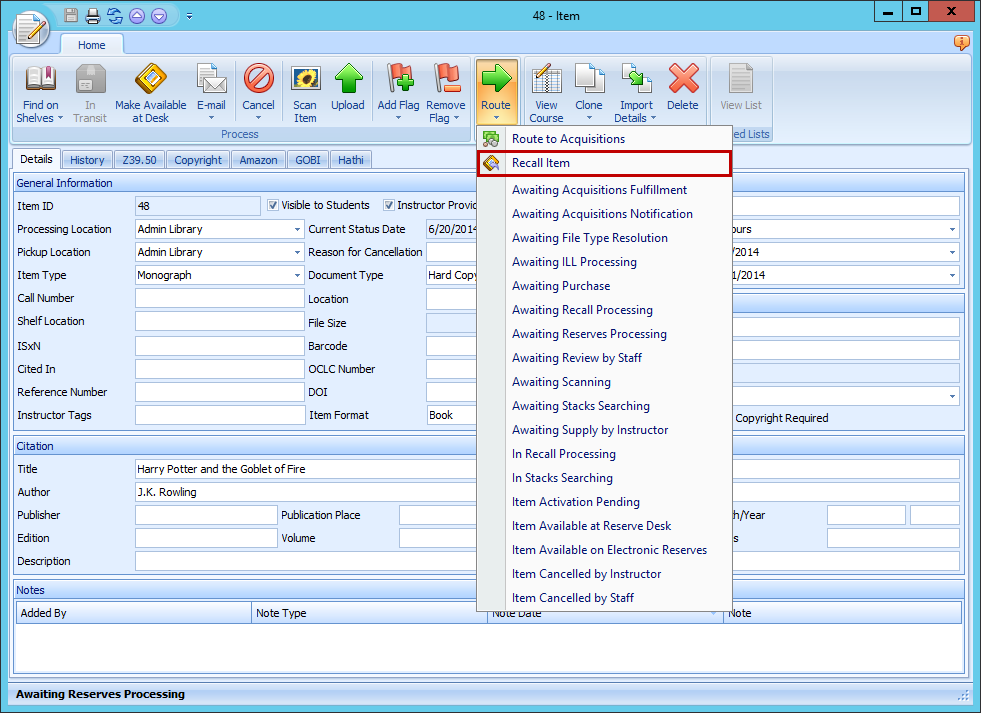
The Recall Item option routes an item to Awaiting Recall Processing where it can be recalled for the Instructor.
- From the Item form, click the Route button.
- Select Recall Item from the list.
- The Item will be routed to the status of Awaiting Recall Processing.
- From that status, you can follow your recall process.
tip
You may want to create an Email Routing rule for dealing with recalls once in the Awaiting Recall Processing status. See Adding Email Routing Rules for more information.