Installing Required Windows Server 2022 Components for the Aeon 5.2/6.0 Update
| Product | Aeon |
|---|---|
| Version | v5.2 & 6.0 |
| Ticket | N/A |
| KB Permissions | Public |
Note: These instructions are for self-hosted Aeon sites.
Issue
The IIS 6 Management Console component must be installed on Aeon Servers using Windows Server 2022 prior to performing the Aeon 5.2 or 6.0 server upgrade due to a known issue affecting PowerShell. If this component is not installed prior to running the Aeon 5.2 or 6.0 server installation/update scripts, the installation/update process may fail.
Resolution
Follow the steps below to install the IIS 6 Management Console on the Aeon Server:
-
Open the Server Manager application on the Aeon Server
-
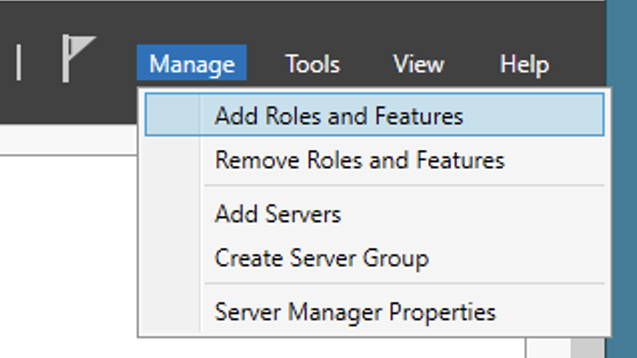
Click Manage > Add Roles and Features from the toolbar options at the top of the screen
-
Navigate through the Add Roles and Features Wizard until you reach the Server Roles section of the wizard
-
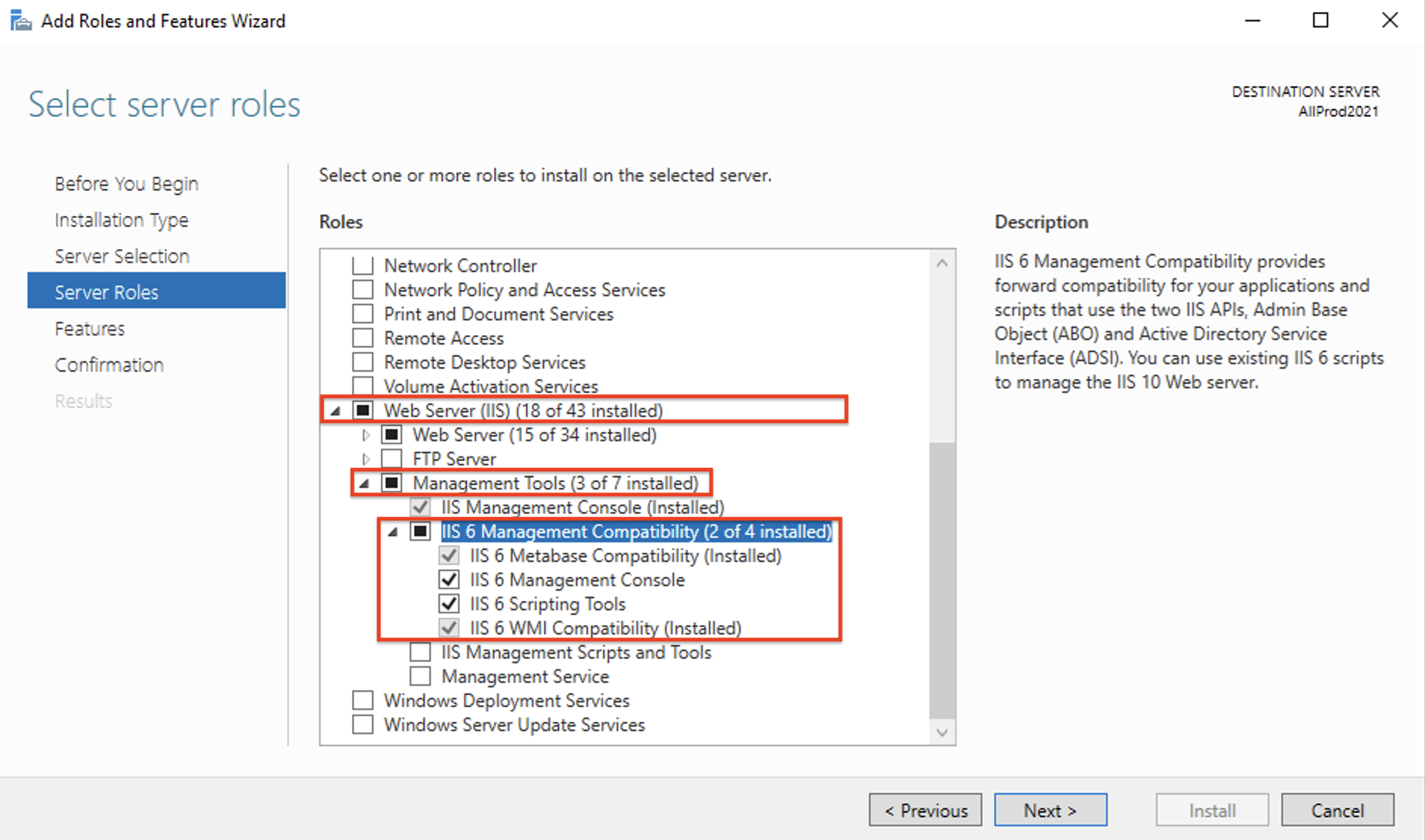
From the list of Roles, expand the Web Server (IIS) > Management Tools > IIS 6 Management Compatibility sections
-
Within the expanded IIS 6 Management Compatibility section, select to install each component within the list:
-
Click Next and navigate through the remainder of the Add Roles and Features Wizard to install the selected IIS components on the Aeon Server