The ArchivesSpace API Playbook
These resources supplement the recorded presentation titled Introduction to the ArchivesSpace API, which is available to view at any time. The resources below assume familiarity with that presentation.
The API for the ASpace Sandbox has changed from https://sandbox.archivesspace.org/api to https://sandbox.archivesspace.org/staff/api/
Table of Contents
Introduction
This Playbook is informed by personal experience learning the ASpace API and Python + other skills that help in these types of projects. If you already have some of this experience, there may still be something here to guide your journey forward.
An API (Application Programming Interface) is a way to interact with ArchivesSpace's data directly and programmatically, bypassing the visual staff interface. This makes it possible to do things like bulk edits, automated reporting, and data cleanup at a scale that would be impractical through the interface alone.
Presentation slides, Postman authentication slides, and sample scripts from this presentation are available to download from SharePoint.
Get Access to an API for Testing
Updated March 2026: This section previously included step-by-step instructions for installing and running ArchivesSpace directly on your computer. Those instructions have been removed because they are outdated and do not work with versions >3.2.0. In their place, you will find instructions for using Docker, which is now the recommended way to run a local copy of ArchivesSpace, though beginners will find it challenging. The other two options — using your organization's sandbox or the public ASpace Sandbox — remain unchanged.
You have a few options. Read them all before deciding. They are listed in order of complexity.
Option 1: Use a Sandbox with a Copy of your Production Data
Ask the following to your IT department or hosting provider:
- Do/can we have a sandbox? i.e., a copy of your Production data in a separate database.
- Is the API enabled?
- What's the URL? This is probably going to look something like the address you already use to log into ArchivesSpace, but with additional characters, like the word 'sandbox' or 'sb.'
Pro-tip: Once you have the URL, you can test it by navigating to it in your browser! If the API is accessible, you will see a JSON response in the browser window confirming it is ready to use. For an example of what this looks like, see the ASpace Sandbox API.
Option 2: Use the ASpace Sandbox
The ASpace sandbox has the API on by default. This is incredibly useful for beginners to experiment with authenticating and making basic changes through the API, and you are absolutely allowed to do this in that server. If you're worried about disrupting data in the Sandbox, make your own records first, and then experiment on those. But remember, all data in the Sandbox is publicly accessible, and changes in the Sandbox will not persist; the Sandbox reverts often. You can see it here: https://sandbox.archivesspace.org/staff/api/
Use the Postman authentication slides to experiment with the AS Sandbox. Just remember that the ASpace sandbox clears data out periodically, so you will have to continue to create records to experiment with. But the stakes are super low! You cannot mess anything up.
Option 3: Use Docker to Run ASpace Locally
This option requires comfort with the command line and is not recommended for beginners. Consider Options 1 or 2 first if you are just getting started.
Prior to ArchivesSpace v3.2.0, it was possible to download a zip file and run ArchivesSpace directly on your computer with minimal setup. Starting with v3.2.0, ArchivesSpace requires a separate search service (Solr) to run, which made the old approach no longer practical for most people. As of v4.0.0, Docker is the officially supported way to run ArchivesSpace locally. Docker handles all of the moving parts — including Solr and the database — automatically, so you don't have to configure them yourself.
For full instructions, follow the official ArchivesSpace documentation: Running with Docker
A few things to note before you start:
- The only software you need to install is Docker itself. For beginners, we recommend also installing Docker Desktop, which gives you a graphical interface to start, stop, and monitor your containers without using the command line.
- Docker is supported on Mac, Windows, and Linux. Apple Silicon (M-series) Mac users: the ArchivesSpace Docker images are built for
linux/amd64only. If you receive architecture-related errors or warnings, opendocker-compose.ymland addplatform: linux/amd64under each service entry. For example:This tells Docker Desktop to run the images via Rosetta 2 emulation. Performance may be slower than on Intel hardware.services:
app:
platform: linux/amd64
image: ...
solr:
platform: linux/amd64
...
db:
platform: linux/amd64
... - Download the configuration package from the GitHub Releases page — look for the file named
archivesspace-docker-[version].zipin the Assets section. - The first time you start ArchivesSpace, it can take up to 10 minutes to download and initialize. This is normal.
- Once running, the staff interface is available at
http://localhost/staff/(localhost means your own computer) and the API athttp://localhost/staff/api/. Note: the Docker logs will showhttp://localhost:8080— ignore that address; use the ones above instead. - The default login is
admin/admin. - To stop ASpace, run
docker compose stopfrom the same folder. To start it again, rundocker compose up --detach. - You can skip the following sections of the official documentation, as they are not relevant for a local test instance:
- Docker images (this section describes manually pulling images, which is not part of the user-facing Compose workflow)
- Contents of the configuration package
- Migrating from the zip distribution
- Resource limits
- Start a shell within a container
- Copy files
- Automated database backups
- Proxy Configuration
- Upgrading
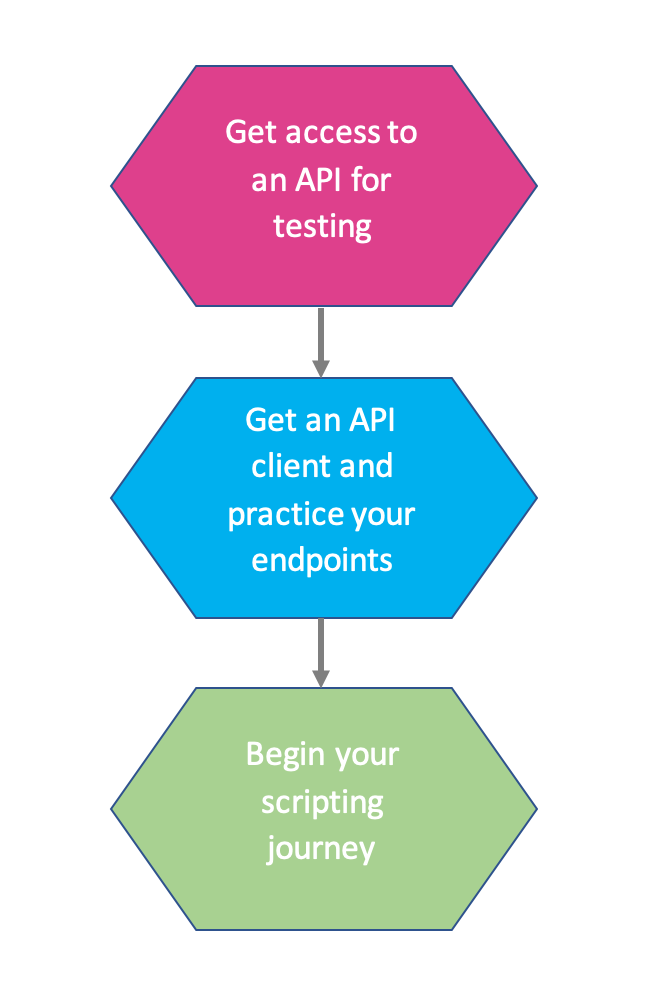
Get an API Client and Practice your Endpoints
An endpoint is a specific URL that represents a resource or action in the API — for example, the URL to retrieve all resources in a repository, or to update a single agent record. Think of endpoints as the addresses you use to ask ArchivesSpace for specific data or to send changes back.
Download Postman, a Free API Client
There are plenty of API clients out there, this just happens to be the one I use and can make slides for: Download Postman. Once you have it installed, see the Postman authentication instructions in SharePoint to get connected to your API.
Presentation slides, Postman authentication slides, and sample scripts from this presentation are available to download from SharePoint.
Experiment. A lot.
Use the presentation slides to authenticate and GET (retrieve) your first record.
Then try the following:
- GET all the major record types
- Resources
- Accessions
- Archival Objects
- Agents
- Locations
- Read the JSON (JavaScript Object Notation — the structured data format the API returns) you get back. Look for familiar things.
- Explore arrays
- Compare what you see in the interface to what you see in the JSON
- Show your colleagues what you're learning
Practice Using and Reading Endpoints
Move on to endpoints you don't recognize.
- It's okay if you can't figure some out.
- Even people who use the API have no idea sometimes.
- Remember that the API documentation reflects the most recent version of ASpace, which might not be the version you're testing with.
Begin Your Scripting Journey
Acknowledge that it's a journey. Pack snacks. Give yourself time.
Big Picture Classes and/or Tutorials
Python is not your only option by far, but since it does appear to be the scripting language most commonly used in the AS community, it is the best place to start if you don't already know a scripting language.
No matter the language, you'll have to learn scripting more broadly before you can narrow down to using the AS API.
There are dozens of Python 3 courses/tutorials out there. Please note that you should focus on Python 3; Python 2 is deprecated, ArchivesSnake requires Python 3.4 or higher, and it is my humble suggestion that we should all (myself included) be aiming for ASnake. Once you start searching for advice online, it will matter which version you're working in, or else you'll be following advice for the wrong version.
Any quality Python tutorial is going to have to walk you through the following as prerequisites to setting up a "development environment", and these are essential to know no matter what you plan to do with Python. Treat these like a checklist that you need no matter how you get there. You must:
- Install Python 3 on your operating system of choice
- Pick and install an IDE (Integrated Development Environment). An IDE is to code what Oxygen XML is to XML/EAD: an intelligent text editor that knows what you're working with and can aid you. I use Visual Studio Code.
- Write and run your first scripts. This means any script, like the basic ones you may learn in a beginners course, or the sample scripts available to download from SharePoint.
- Create a virtual environment (venv). A virtual environment keeps the libraries you install for one project separate from those used by other projects on your machine. This is a best practice and will save you significant headaches later. Python 3 includes everything you need to create one — no extra installation required. Search for "how to create a python 3 virtual environment on [your operating system]" for instructions.
- And finally, you should learn how to install a package manager, libraries, and modules. Here are what you might care about related to the AS API in those categories:
Disclaimer: The following is simply a statement and not a paid or endorsed recommendation. I took Modules 1-4 of the Python for Everybody course by Dr. Charles Severance (Dr. Chuck), School of Information at the University of Michigan and found it useful and enjoyable. I took a paid version through Coursera that featured graded projects, but Dr. Chuck also makes it available for free through freeCodeCamp.org: Python for Everybody — free 13-hour YouTube course. He walks you through Python 3 installation for both Mac and Windows.
You do not need all 13 hours:
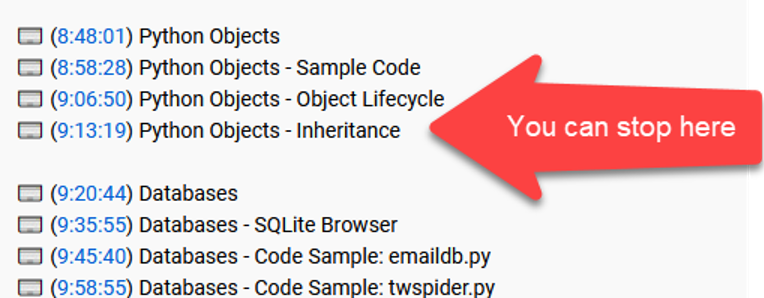
This is not the only course out there, but I don't want to fill this page with recommendations that will overwhelm you. Try that one first (either free or paid) and if you don't like it, search for "Python 3 for beginners" tutorials. Just make sure that whatever you choose walks you through the five steps above.
Troubleshooting
One of my biggest struggles in learning scripting was that I was always looking for a formal way to troubleshoot things. In my mind, I should know something from the ground-up and that understanding should be how I solved things. I was looking to find "The Class" or "The Tutorial" that would solve all my problems. What I want to tell you is that you will have to troubleshoot your experiences with agility: there isn't one video, there isn't one course, there isn't one help article. You will need to learn to cobble together troubleshooting sources. How do you do that? The secret to most coding is that developers search the internet for their problem and then go read how others solved it. Thus, how to form that keyword search is more important than memorizing books on Python.
One key to searching more efficiently is including the specific details of your setup — your operating system, your IDE, the Python version you're using, the library you're working with. Learn to add these as search terms:
- Instead of searching for "how to install python 3" you should add "on Windows".
- "Add-ons for reading JSON" might be "add-ons for reading json in Atom".
- "Troubleshooting python versions" might be "troubleshooting python versions in Linux".
- "parsing JSON with requests in python 3".
Share it. Cultivate Buy-in
Are there others in your organization with whom you can learn?
- Take classes together.
- Have meetups, virtual or otherwise.
- Inevitably you will teach each other.
Even if you're solo, share it.
- Demonstrate using the API to your manager.
- Present about it at your next staff meeting.
- Make sure others know that you're learning.
- Buy-in is important.
Managers:
- Consider funding and time for Python classes for staff, and know that this is going to take a while
- Advocate for new relationships inside your organization, e.g., having an IT/archivist working group where there was none before.
- Advocate that staff members have admin privileges on their machines, or advocate that IT installs what they need.
- Advocate and/or fund an AS Sandbox server.
Focus your skills
Once you have familiarized yourself with Python more broadly, then you can start to narrow your focus to APIs, the AS API specifically, and ultimately, the end-goal specialization of using ASnake.
Here is where I can recommend more specific avenues:
More videos
- How to install Python packages.
- Here are what you might care about related to the AS API in those categories: libraries (Requests, ArchivesSnake) |modules (JSON, RegEx)
- Python 3 and APIs/the Requests library. Try this Python 3 and Requests library tutorial. Keep watching videos with these search terms.
- Python 3 and JSON.
- Once you start working with JSON, you'll want to set up your IDE for JSON. Just Google/YouTube "how to set up [my IDE name] for JSON".
- Fun fact: there's a Python library for MARC21! Introduction to pymarc, part 1 | Introduction to pymarc, part 2.
Archivists + GitHub = Ideas
When I was learning Python, an archivist friend of mine always used to say, "No one opens a blank text editor and just starts writing code." You probably will actually do that, but her point was: you are now a member of a community where the norm is to share. As such, there is already stuff out there, and I don't mean "Python stuff," I mean information professionals working with archival data (just like you) writing in Python 3 (just like you) using the AS API (just like you).
- You can search GitHub for ArchivesSpace Python repositories to find what others have shared.
- Go look at their code! Really! Most GitHub pages have a license, and most of the time it's Apache-2.0. Check the license, use this site to figure out what it means and reassure yourself, then copy their code or fork their repositories (if you know what that means). That's why they put it there. I promise you, it's okay, just give credit back to them. Reach out to them directly — email them or leave a comment — and ask, "Hey can I use this?" "What does this line do?".
- Aim for ArchivesSnake, developed and championed by people inside the AS community (for archivists, by archivists):
- Start with the main page ReadMe.
- Then Getting Started Guide on the Wiki.
- Greg Wiedeman's Introduction to Python and ArchivesSnake workshop.
- If you're starting to feel comfortable: the detailed API Docs.
Build Your Non-Python Toolbox
The API and Python alone probably won't do everything you need. Consider these other seriously useful skills.
SQL
The API isn't the only way to make bulk changes or see data all at once. Though it brings more risk you can also get data / make changes directly to the tables that are behind AS.
I used to work exclusively with the API; now I do about 50% of my cleanup work in SQL. Why use one or the other?
| You probably want the API | You can probably use SQL in the db |
|---|---|
|
|
Recommended reading/watching (these two sources opened my eyes to these possibilities):
- Mucking around in ArchivesSpace Locally by Maureen Callahan - Blog
- includes a sample request to your IT/hosting provider
- ArchivesSpace Reporting and MySQL by Alicia Detelich - Slides | Recording
Regular Expressions
Need to detect patterns in order to make decisions? Trust me, you want to learn Regular Expressions even if you don't use Python. Watch tutorials, and I highly recommend regex101.com once you're ready.
- Use the Re library in Python to deploy RegEx in your API work.
- You can use RegEx in SQL, too.
- Use Oxygen XML to use RegEx for EAD.
- There's a learning curve, it's a steep one, it's worth it.
OpenRefine
Need to undertake massive data cleanup and you'd rather see it on your screen? If you haven't already heard of OpenRefine, you can totally use OpenRefine for JSON. OpenRefine Tutorial from Library Carpentry and OpenRefine tutorial videos on YouTube.
- You can even use OpenRefine to reconcile data with other APIs, like loc.gov reconciliation for agents and subjects.
Git
Git is a journey unto itself. You have likely heard of Git or been directed to a GitHub. If you plan to get serious about scripting, you need to manage version control and Git is a standard way to do that. One day you will care about that, but probably not right now. When you do care, there are dozens of tutorials that you can follow (I recommend Learn Git Branching). If Git doesn't make sense to you at first, that is okay, it is confusing.
Your First Script
Presentation slides, Postman authentication slides, and sample scripts from this presentation are available to download from SharePoint.
The following script was demonstrated in the API Workshop. As written, it will grab all records of a certain type in a single repository and save them to a single JSON file. If you change the endpoint, you can get all of any record type, such as accessions, top containers, agents, etc.
This script uses the Requests library and does not use ArchivesSnake. It uses GET requests (to retrieve records) and checks HTTP status codes — numbers the server returns to indicate whether a request succeeded. A status code of 200 means success; anything else means something went wrong.
By following the advice above, you should learn how to run and edit a simple Python script. Once you are ready to get started with the API, try this as your first script.
# Save this script as name_of_file.py in order to run it as Python3 in your local environment.
# Disclaimer: This script is being provided as an example and may need to be modified for local use.
# Modifying and using this script is the responsibility of the individual using it.
# Do not test against Production!
# Authentication based on a script by ehanson8 (https://github.com/MITLibraries/archivesspace-api-python-scripts)

# Significant aspects:
# - How to set variables
# - How to get all ids of a single record type
# - How to check your status code
# - How to save an output to a local file

#Import the following libraries
import csv
import json
import requests

#Set your authentication info, baseurl, and repository info (if relevant)
baseURL = 'http://localhost:8089' #<-- Enter your real API URL between the ''
# Note: If running ASpace via Docker, the API URL is http://localhost/staff/api — not localhost:8089
user = 'admin' #<-- Enter your real username between the ''
password = 'secure_password' #<-- Enter your real password between the ''
repository = '101'

#Authorize and store your session key in your header
auth = requests.post(baseURL + '/users/' + user + '/login?password=' + password).json()
session = auth['session']
headers = {'X-ArchivesSpace-Session': session, 'Content_Type': 'application/json'}

print('Your session key is: ' + session)

#Optional way to create your endpoint with variable below
record_type = 'resources'

endpoint = '/repositories/' + repository + '/' + record_type + '?all_ids=true'
#Note that the above endpoint includes repository, hence, it will not work for non-repo endpoints
#Note also that this endpoint is only gathering the record IDs, not the records themselves
#Those ids are later stored using the 'ids' variable below

print('This endpoint will gather every id for ' + record_type + ': ' + endpoint)

test_endpoint = requests.get(baseURL + endpoint, headers=headers) #Here we begin to test your endpoint, this is good to know
if test_endpoint.status_code !=200: #If the status code is NOT 200, your GET above did not work and the script stops
    print('That did not work. Do you have the correct endpoint? --> ' + endpoint)
    quit()
else: #If the status code IS 200, your GET above did work and the script continues
    ids = requests.get(baseURL + endpoint, headers=headers).json()
    print('There are ' + str(len(ids)) + ' records of the requested type in this repo')
    print('Their ids are ' + str(ids))

    records = [] #Open a empty list
    for id in ids: #For each id in the id list....
        endpoint = '/repositories/' + repository + '/' + record_type + '/' + str(id) #Create an endpoint per id...
        output = requests.get(baseURL + endpoint, headers=headers).json() #GET that record...
        records.append(output) #Append that record to the empty list

    filename = record_type + '.json' #Set the filename

    f = open(filename, 'w') #Create a new file
    json.dump(records, f) #Encode the records list as JSON and save to that file
    f.close() #Close the file

    print('The JSON for all ' + str(len(ids)) + ' records has been written to a file named ' + f.name)
Your First API Project
You may already have a good idea of what you want to do with the API, or you have no idea. Either way, I have some general advice for your first API project. It mostly comes down to taking small familiar steps before your big leap into scripting.
- Pick a record type you wish you could change or create. Even if you have to change 1,000 records, just pick one. This will be a template for your project and a proof of concept for your approach.
- If you are changing a record type, use Postman to GET an existing record out and save it somewhere. Then make your changes through the staff interface and GET it again, now with the changes. These are your templates.
- If you are creating something from scratch, create it in the staff interface first, then GET it out using Postman. This is your template.
- Depending on what you're doing, attempt to POST (send) a new or altered record back through Postman to test your template. Take care before proceeding without first confirming that what you want to do is possible. This is also a good time to experiment with what fields are strictly required. If you're working with existing data, POST everything back or risk losing some fields; if you're working with new data, start with the record requirements and aim for the fewest fields possible.
- Focus intensely on the exact steps you took to create or alter your data. Even down to "I clicked this field" or "I used my human brain to conform this field to what I wanted it to look like."
- Go step-by-step through what you did and design your script to match those discrete steps. Don't go "whole picture" on yourself, break down the point of your project into these steps, and focus on each step one at a time.
- For example, for cleanup:
- "I navigated the interface until I saw a record that needed to be cleaned up." = How did you know which record needed to be cleaned up? How can your script make the same decision?
- "I clicked Edit" = GET the record out through the API.
- "I made the ten changes" = break that down further. What were they, exactly? Does the order matter? Can your script make each change to each record instead of ten changes to one record? If you need to make one change 100 times, make it 100 times, then go back and make the second change 100 more times. That's not how a human would do it, but it is how to script.
- "Okay, I specifically changed the date form. That was my first change." = Great, how did you change it? How did you know?
- "Well my brain saw a hyphen and I knew that meant a date range. My brain knew that the value on the left side of the hyphen was the Begin date and the right side was an End date." = How do you teach your script to see that same pattern? (Pro-tip: learn Regular expressions).
- "Okay, I specifically changed the date form. That was my first change." = Great, how did you change it? How did you know?
- For example, for cleanup:
- Repeat. Focus on doing one thing at a time, not everything at once. Everything is a victory.