Lending Workflow
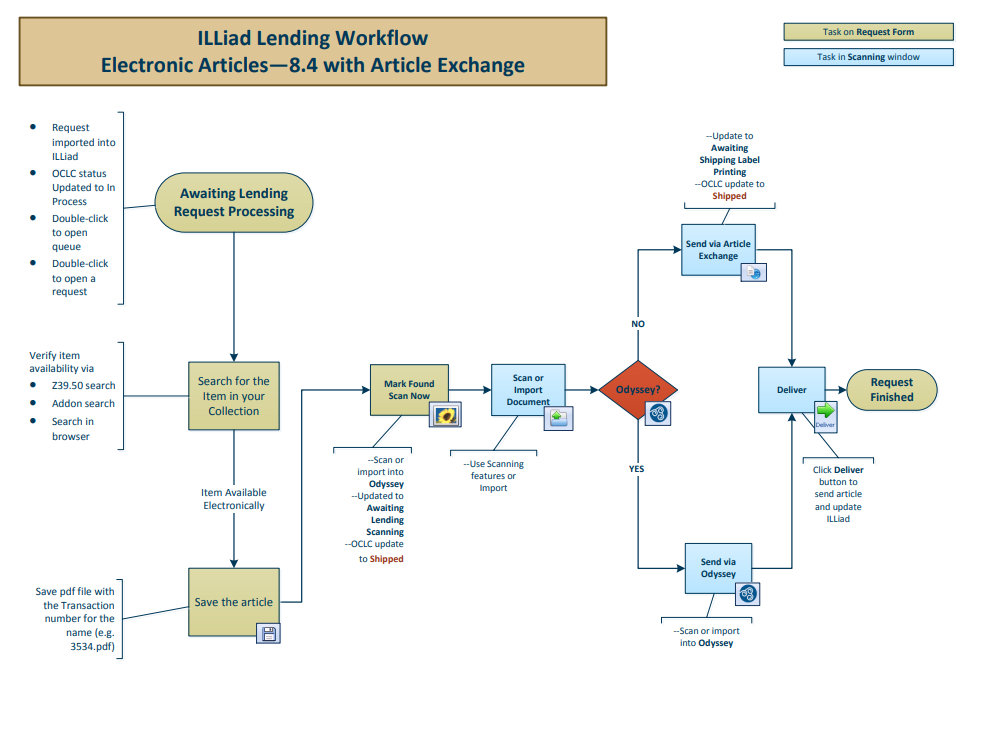
Every lending request enters ILLiad at the Awaiting Lending Request Processing queue. From there the path depends on what was requested and how it will be sent: loans travel physically and run through stacks searching and shipping labels, while articles are scanned or saved and delivered electronically.
The charts below are alternatives, not steps in a sequence — all five begin at the same queue.
Loans
The only lending workflow with no article-delivery branch. A physical item is searched, found, labelled and shipped, then checked back in through Lending Returns when the borrowing library sends it back.
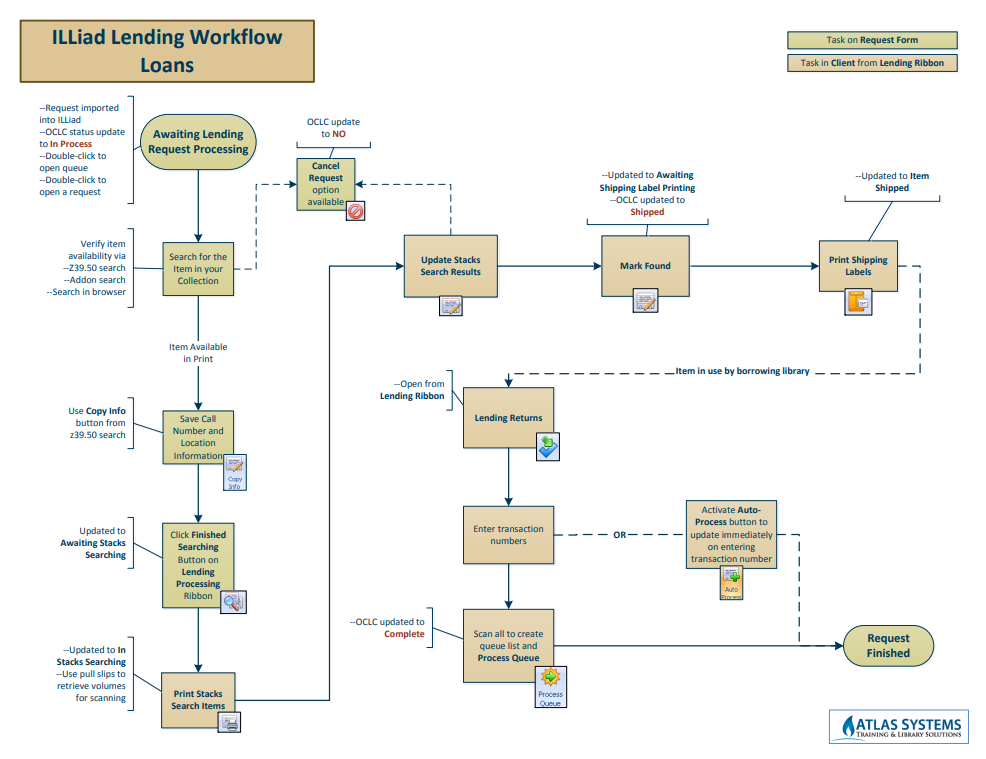
If you open a request from any queue other than Awaiting Lending Request Processing or In Stacks Searching, Mark Found routes it to the Awaiting Secondary Label Printing queue and the OCLC status is not updated to Shipped.
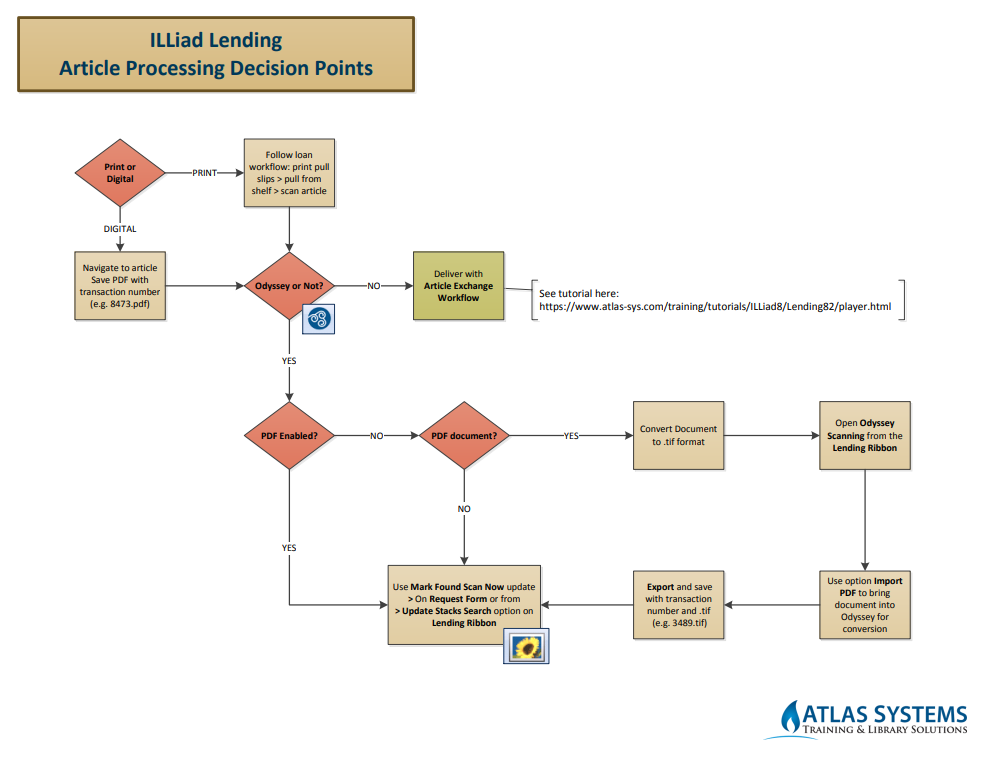
Article Processing Decision Points
Start here for article requests. This chart is a router: it establishes whether the article is print or digital, whether Odyssey is in play, and sends you to the matching workflow below.
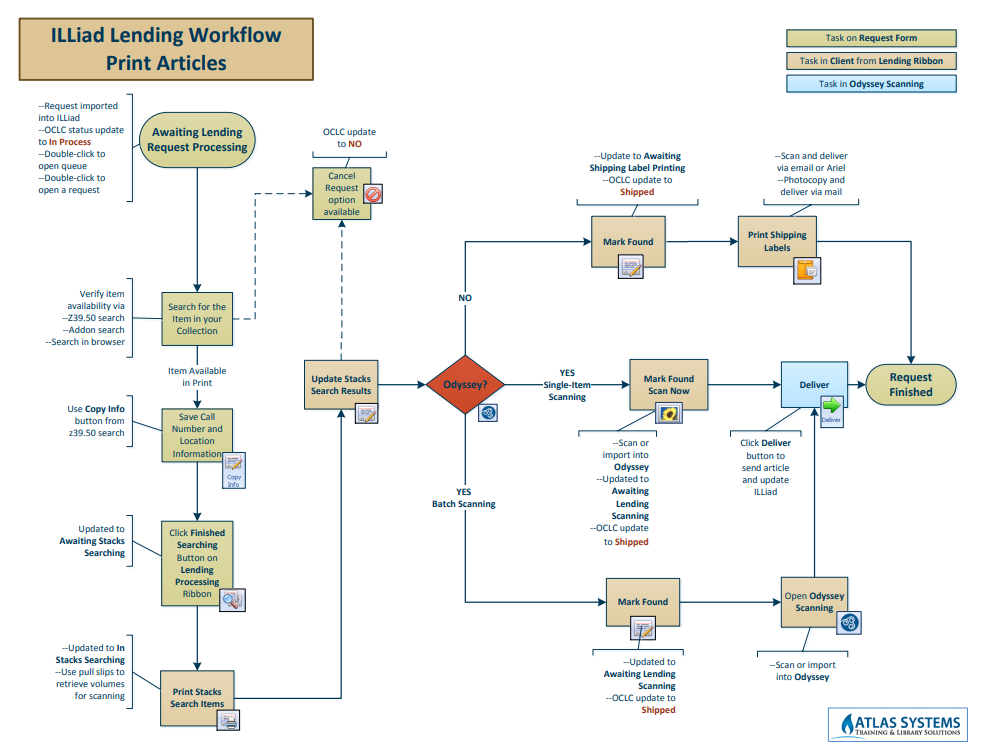
Print Articles
The article exists in print, so it runs through stacks searching before being scanned. Delivery splits three ways on Odyssey: single-item scanning, batch scanning, or non-Odyssey delivery by email or post.
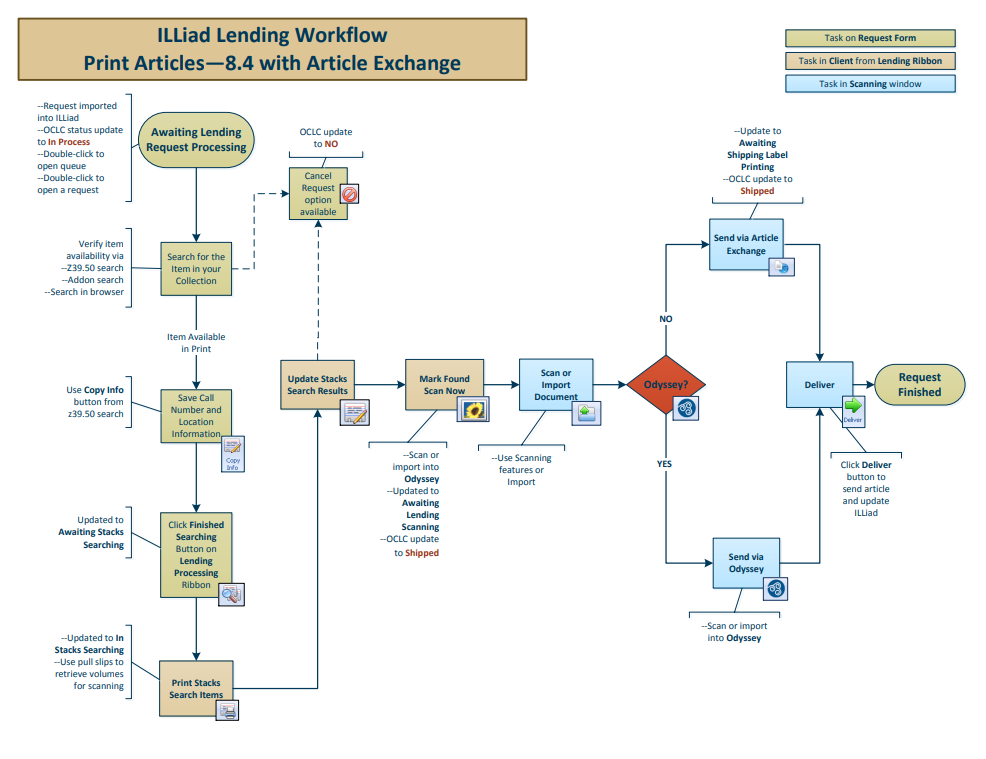
Print Articles with Article Exchange
Identical to Print Articles through stacks searching, then delivered through OCLC Article Exchange rather than Odyssey.
Electronic Articles with Article Exchange
The article is already available electronically, so the stacks-searching steps drop out. Save the article, then scan or import and deliver.