Adding Lending Import Queues
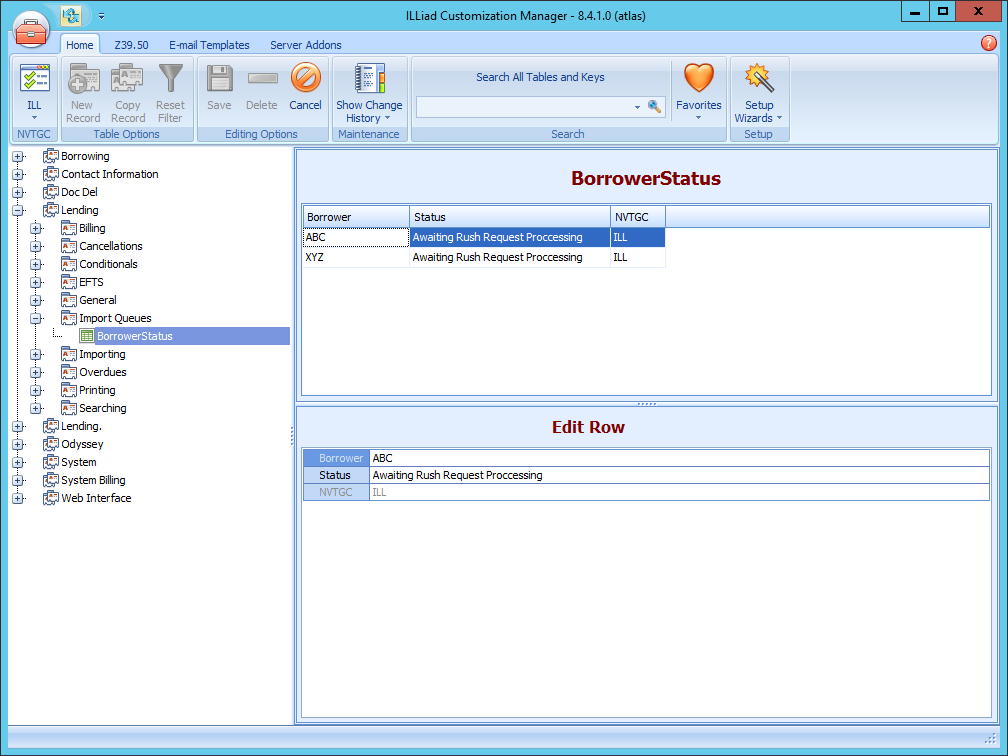
Adding entries to the BorrowerStatus table will let ILLiad know when to filter requests from certain Borrowers to a separate queue. The BorrowerStatus table is found in the ILLiad Customization Manager under Lending | Import Queues | BorrowerStatus.
- Click New Record.
- Fill in the following information:
| Field | Description |
|---|---|
| Borrower | The library code or OCLC symbol of the other library. |
| Status | The status you would like all requests from the Borrower to be routed to. If you want these requests to go to a custom status, see Creating Custom Queues for instructions on how to create a custom status queue. |
| NVTGC | This value is auto-populated. |
- Click Save.